Digital QR Menu for Restaurants: Why It's Better Than Traditional Menus
A complete guide to digital QR menus: what they are, why they beat printed menus, how they work, and how to launch your own branded QR menu with SmartMenu.
Published 2026-08-25
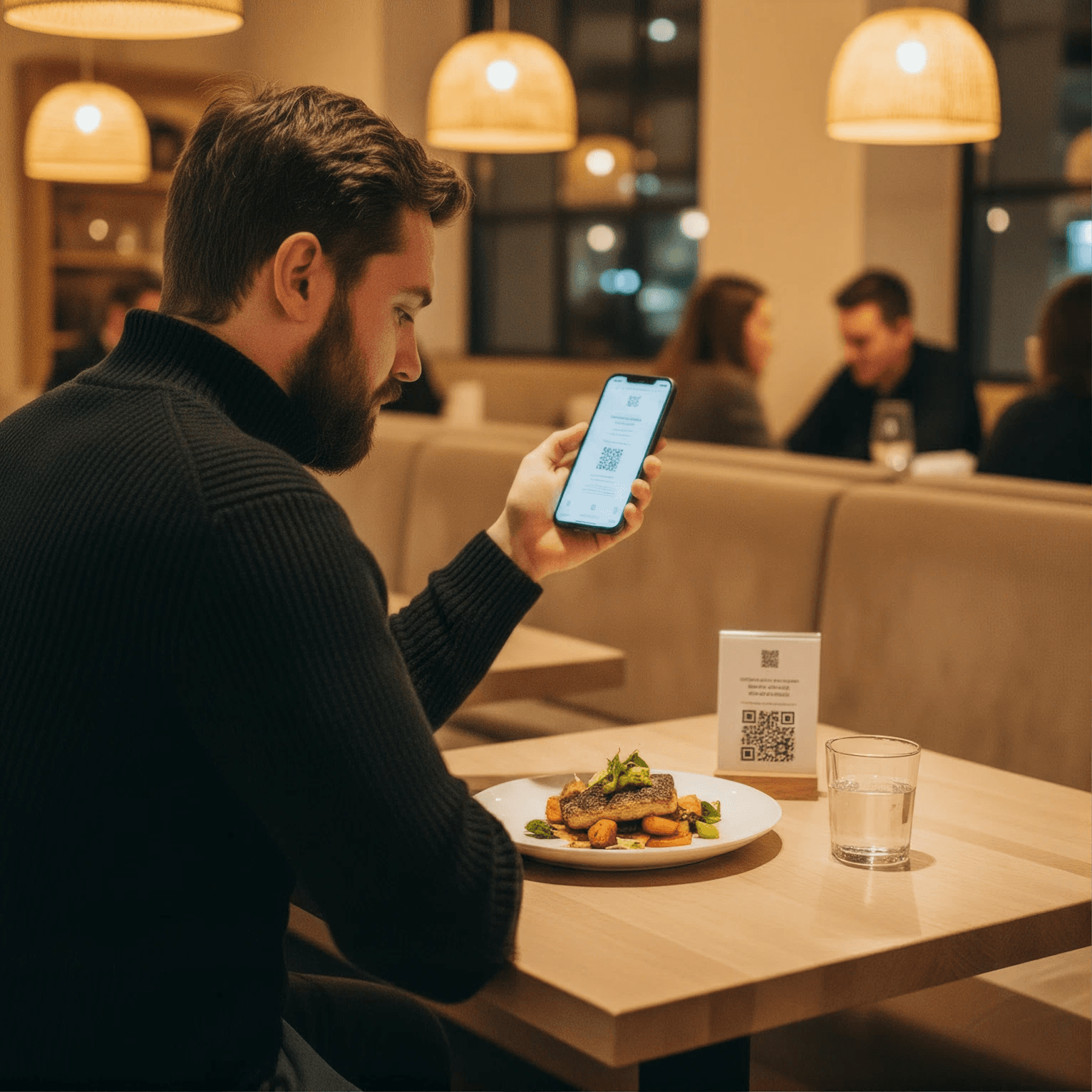
Restaurants are becoming more digital every day. From online ordering and digital payments to restaurant websites and customer reviews, technology is changing how customers interact with restaurants.
One of the simplest ways to modernize a restaurant is by replacing traditional printed menus with a Digital QR Menu.
A QR menu allows customers to scan a code with their smartphone and instantly view the restaurant's menu. It eliminates the need for customers to handle printed menus and allows restaurant owners to update menu information whenever needed.
What Is a Digital QR Menu for Restaurants?
A Digital QR Menu for Restaurants is an online menu that customers can access by scanning a QR code.
Instead of using a traditional printed menu, restaurants can place a QR code on tables, counters, takeaway packaging, or promotional materials.
After scanning the code, customers can view:
- Food and beverage categories
- Menu item names
- Prices
- Food descriptions
- Food images
- Special offers
- Restaurant information
Customers can access the menu directly from their smartphone without downloading a separate application.
Why Avoid Traditional Printed Menus?
Traditional menus may look simple, but managing them can become expensive and inconvenient.
When a restaurant changes a price, adds a new dish, or removes an unavailable item, the printed menu may need to be redesigned and reprinted.
Common problems with traditional menus include:
- Printing and replacement costs
- Difficult price updates
- Outdated menu information
- Damaged or misplaced menus
- Limited space for food images
- Time-consuming menu changes
A digital restaurant menu solves many of these problems by allowing restaurant owners to manage their menus online.
Benefits of a Digital QR Menu
1. Update Your Menu Anytime
Restaurant menus change frequently. Prices may change, new dishes may be introduced, and certain items may become unavailable.
With a QR menu, restaurant owners can update menu information digitally without printing new menus.
2. Reduce Menu Printing Costs
Printed menus require recurring expenses for design, printing, lamination, and replacement.
A QR menu for restaurants can reduce these recurring costs because the same QR code can continue to work even when the menu content is updated.
3. Give Customers a Contactless Menu
Customers can scan the QR code using their smartphone camera and view the menu without sharing a physical menu.
This creates a convenient and contactless dining experience.
4. Display Attractive Food Images
Printed menus have limited space for high-quality food images.
A digital menu gives restaurants more flexibility to showcase dishes with images and detailed descriptions. Visual menus can help customers understand dishes better and make purchasing decisions more easily.
5. Improve Restaurant Branding
A digital menu can be designed around your restaurant's brand. You can showcase your:
- Logo
- Brand identity
- Food photography
- Restaurant information
- Special promotions
- Recommended dishes
This creates a more professional online experience.
6. Make Menu Management Easier
Restaurant owners and staff can manage menu items from a digital platform instead of repeatedly designing and printing physical menus. Menu management becomes faster and more convenient.
How Does a Restaurant QR Menu Work?
Using a digital QR menu for restaurants is simple.
Step 1: Create an Account on SmartMenu.club
Add your restaurant name and currency.
Step 2: Upload Your Menu
Already have a menu? Upload your existing menu to SmartMenu and let AI Master Chef help turn it into a digital menu.
SmartMenu supports PDF, PNG, and JPG files, making it easy to upload your existing restaurant menu without creating everything from scratch.
Step 3: Place the QR Code
Display the QR code where customers can easily see it, such as:
- Restaurant tables
- Table tents
- Counters
- Entrance areas
- Takeaway bags
- Food packaging
Step 4: Customers Scan the QR Code
Customers use their smartphone camera to scan the code.
Step 5: The Digital Menu Opens
The restaurant menu opens directly on the customer's smartphone, allowing them to browse the available dishes.
Digital QR Menu vs. Traditional Menu
| Feature | Traditional Menu | Digital QR Menu |
|---|---|---|
| Menu updates | Requires reprinting | Instant updates |
| Printing cost | Recurring | Reduced |
| Food images | Limited | Easy to showcase |
| Price changes | Requires new menus | Update digitally |
| Contactless access | No | Yes |
| Menu management | Manual | Digital |
| Promotions | Limited | Easy to update |
A digital menu gives restaurants greater flexibility while providing customers with a modern way to browse their food options.
Who Can Use a Digital QR Menu?
A QR menu isn't limited to large restaurants. Businesses of different sizes can use digital menus, including:
- Restaurants
- Cafés
- Bakeries
- Fast-food restaurants
- Food courts
- Cloud kitchens
- Hotels
- Juice shops
- Dessert shops
- Bars and lounges
Whether you operate a small café or a multi-location restaurant, a digital QR menu can simplify menu management.
Best Practices for Using a QR Menu
To make your QR menu effective, follow a few simple practices.
Keep the Menu Easy to Navigate
Organize food items into clear categories such as starters, main courses, desserts, beverages, and specials.
Use High-Quality Food Images
Professional food images can make your digital menu more attractive and help customers understand what they are ordering.
Keep Prices Updated
Make sure your digital menu always displays the latest prices and availability.
Make the QR Code Easy to Scan
Place the QR code where customers can see and scan it easily. Avoid placing it in areas with poor lighting or excessive visual clutter.
Optimize the Menu for Mobile Devices
Most customers will open your menu on a smartphone, so the digital menu should load quickly and be easy to navigate on smaller screens.
Create a Digital QR Menu with SmartMenu
Creating a digital QR menu with SmartMenu is quick and easy. You can transform your existing restaurant menu into a modern digital menu and give customers instant access with a branded QR code.
Step 1: Create Your SmartMenu Account
Sign up on SmartMenu and enter your restaurant details, including your restaurant name and currency.
Step 2: Upload Your Existing Menu
Already have a menu? Simply upload your existing PDF, PNG, or JPG menu. SmartMenu's AI-powered menu extraction makes it easier to turn your existing menu into digital menu items.
Step 3: Review and Manage Your Menu
Once your menu is uploaded, review the extracted categories, dishes, prices, and menu details. You can edit or update your menu whenever needed.
Step 4: Customize Your Digital Menu
Use the QR Menu Customizer to create a menu that matches your restaurant's branding. Add your restaurant identity and create a professional digital menu experience.
Step 5: Generate Your QR Code
Generate your branded restaurant QR code and place it on your tables, counters, posters, takeaway packaging, or receipts.
Step 6: Let Customers Scan and Order
Customers simply use their smartphone camera to scan the QR code and instantly access your digital menu.
Why Choose SmartMenu?
With SmartMenu, you can:
- Replace traditional printed menus
- Upload your existing menu
- Update prices and dishes easily
- Create branded QR menus
- Manage menu categories and items
- Give customers a mobile-friendly menu experience
- Use AI to simplify menu management
- Add tips
- Add your Google Review link
Frequently Asked Questions
What is a digital QR menu?
A digital QR menu is an online restaurant menu that customers can access by scanning a QR code with their smartphone.
Do customers need an app to use a QR menu?
No. Customers can generally scan the QR code using their smartphone camera and open the digital menu through their web browser.
Can I update my restaurant menu without changing the QR code?
Yes. With a dynamic digital QR menu system, you can update menu items, prices, descriptions, and other information without needing to replace the QR code.
Is a QR menu better than a traditional menu?
For many restaurants, a QR menu provides greater flexibility because it can be updated digitally, reduces dependence on printed menus, and provides customers with a convenient contactless experience.
Can cafés use digital QR menus?
Yes. Digital QR menus are suitable for cafés, bakeries, restaurants, food courts, hotels, and other food businesses.
Conclusion
The traditional restaurant menu is no longer the only option. Digital QR Menu for Restaurants provides a simple way to modernize the dining experience while making menu management easier.
From instant updates and lower printing requirements to mobile-friendly access and better branding, QR menus offer several advantages for modern restaurants.
If you're looking for a simple way to move beyond traditional printed menus, SmartMenu can help you create a professional digital QR menu for your restaurant.
Related Articles
10 Key Benefits of a Digital Menu for Restaurants
Explore the top 10 benefits of a digital menu for restaurants, from instant price updates and lower printing costs to better branding and multi-location menu management.
Digital Menu for Restaurants: How QR Code Menus Simplify Menu Management and Improve Dining
Learn how a digital menu for restaurants works, why restaurants are switching to QR code menus, and what to look for when choosing a digital menu platform.
Ready to put these strategies into practice?
Launch your digital menu and automated website in 15 minutes. Free 14-day trial, no credit card required.